Advertisement
People don’t just use AI chatbots out of curiosity anymore. They use them to write documents, generate code, ask questions, or simplify tasks that used to take hours. ChatGPT vs. HuggingChat is now a real debate—two major tools with very different roots. One is built for simplicity and performance, the other for openness and community control.
But which one actually suits real-life use better? That depends on how you work, what you value in a tool, and how far you want to dig into the tech behind it. Let’s break the comparison down beyond the surface.
OpenAI built ChatGPT as part of a broader mission to create advanced language models that work across industries. It's trained on huge datasets and fine-tuned for general-purpose use—writing, support, tutoring, summaries, and problem-solving. Its design is made to feel like a smooth assistant with guardrails. You don't see the machinery behind it, and that's the point. It gives you polished results without requiring much setup or technical understanding.
HuggingChat comes from Hugging Face, a company that focuses on open-source AI development. Unlike OpenAI’s closed model, HuggingChat runs on models that the community can access, review, and modify. It isn’t packaged for mass users in the same way. It’s more of a gateway for developers, researchers, and tech-savvy users who want flexibility and transparency. The tradeoff is clear: you get more freedom, but fewer pre-baked features or interface polish.
The two tools are built for different kinds of users. ChatGPT serves those who want answers fast without needing to configure anything. HuggingChat offers a deeper level of interaction for people willing to explore, change settings, or even run the chatbot on their machine. That split shapes almost every part of the user experience.
ChatGPT is designed to hold conversations in a way that feels natural. Its memory, at least within a session, is strong. It can carry context over long exchanges and give responses that seem coherent from beginning to end. If you’re writing an email, breaking down a legal paragraph, or explaining a complex idea, it rarely veers off course. Its writing tone can even adjust based on how you prompt it—formal, casual, brief, or detailed.

On HuggingChat, things can be hit or miss. It depends on which language model is currently active (for example, OpenAssistant or Mistral-based versions). Some models are more fluent than others, and the performance can vary with longer or more nuanced inputs. You may get answers that feel stiff or overly brief unless you prompt carefully. The tool is functional, but you may need to experiment more to get consistent quality.
The biggest strength of ChatGPT here is its stability. It doesn’t just give answers—it understands your intent with fewer retries. HuggingChat, in contrast, acts more like a sandbox. You can try different models or tweak behaviors, but the results require more tuning. For someone who enjoys full control or working directly with model internals, that might be a benefit. But for everyday productivity, ChatGPT feels faster and more predictable.
When you use ChatGPT, especially the paid GPT-4 version, you’re getting access to a refined product built to support multiple extensions. It connects to web browsing, allows file uploads, generates visuals through DALL·E, and integrates with tools like Python for analysis. These features are built into the UI and ready to go. You don’t need to configure anything. However, the model and its training data remain closed, and there’s no way to run ChatGPT locally or view the full training process.
HuggingChat gives up on Polish but gives you back the keys. Because open models power it, you can inspect the source code, fine-tune it, or self-host it. You can run a chatbot offline using a Hugging Face model. For people who care about data privacy or compliance, this can be a big win. You're not handing over text to a third-party API—you're running the show yourself.
This difference matters if you're working in environments where data sensitivity is high or if you're building tools that require full customization. ChatGPT excels in ease of use and ecosystem variety. HuggingChat provides ownership, but leaves more up to you. There’s no one-size-fits-all winner here—it depends on how much you want to control your AI tools versus how much you want them to just work out of the box.
ChatGPT is ideal for people who use chatbots as assistants. If you write for work, need help with customer service, study difficult topics, or do research, ChatGPT is more efficient. Its responses are smoother, and it handles ambiguous prompts with more grace. It’s also better at multi-step reasoning, so you can solve a math problem, then ask for an explanation in plain English, and still get accurate results.

HuggingChat is better if your work is closer to software development, AI training, or data privacy. If you want to test model behavior, compare different transformers, or see how a model handles edge cases, HuggingChat is the right choice. It doesn’t give you everything wrapped in a neat box, but it lets you look inside and decide how things should work. This makes it a powerful tool for learning and experimentation.
The cost model also plays a role. ChatGPT’s best features are locked behind a subscription. HuggingChat, being open, can run entirely for free, especially if self-hosted. That might matter for independent developers, students, or small teams building tools on a budget.
ChatGPT vs. HuggingChat isn’t just a question of performance—it's a question of purpose. One is designed to be invisible, fast, and productive. The other is designed to be open, tweakable, and hands-on. ChatGPT gives better writing, smoother conversation, and smarter defaults. HuggingChat gives developers room to experiment, adapt, and build their workflows. They're not fighting for the same user—they're solving different problems. If you want an AI tool that just works, ChatGPT wins. If you want to build or understand your AI tool, HuggingChat is a better fit.
Advertisement

Why INDEX MATCH is often a better choice than VLOOKUP in Excel. Learn the top 5 reasons to use INDEX MATCH for more flexible, efficient, and reliable data lookups
What makes BigCodeBench stand out from HumanEval? Explore how this new coding benchmark challenges models with complex, real-world tasks and modern evaluation
Need to deploy a 405B-parameter Llama on Vertex AI? Follow these steps for a smooth deployment on Google Cloud

Learn how AWS Strands enables smart logistics, automation, and much more through AI agents.

How CPU Optimized Embeddings with Hugging Face Optimum Intel and fastRAG can run fast, low-cost RAG pipelines without GPUs. Build smarter AI systems using Intel Xeon CPUs

Looking for the best cloud GPU providers for 2025? Compare pricing, hardware, and ease of use from trusted names in GPU cloud services

Thousands have been tricked by a fake ChatGPT Windows client that spreads malware. Learn how these scams work, how to stay safe, and why there’s no official desktop version from OpenAI
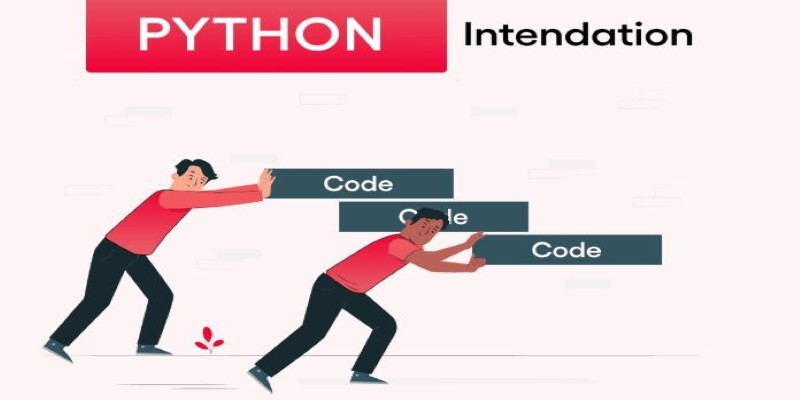
How indentation in Python works through simple code examples. This guide explains the structure, spacing, and Python indentation rules every beginner should know

Curious about Vicuna vs Alpaca? This guide compares two open-source LLMs to help you choose the better fit for chat applications, instruction tasks, and real-world use

Looking for the best AI image enhancers in 2025? Discover 10 top tools that improve image quality, sharpen details, and boost resolution with a single click

Google debuts new tools and an agent protocol to simplify the creation and management of AI-powered agents.
Discover OpenAI's key features, benefits, applications, and use cases for businesses to boost productivity and innovation.